Setting up OneTouch notifications
Set up OneTouch push notifications for your users by configuring the OneTouch SDK Settings in your Authy application. This page is part of the Quickstart guide to integrate the Twilio Auth SDK into your app. See the Twilio Auth SDK Quickstart for more information.
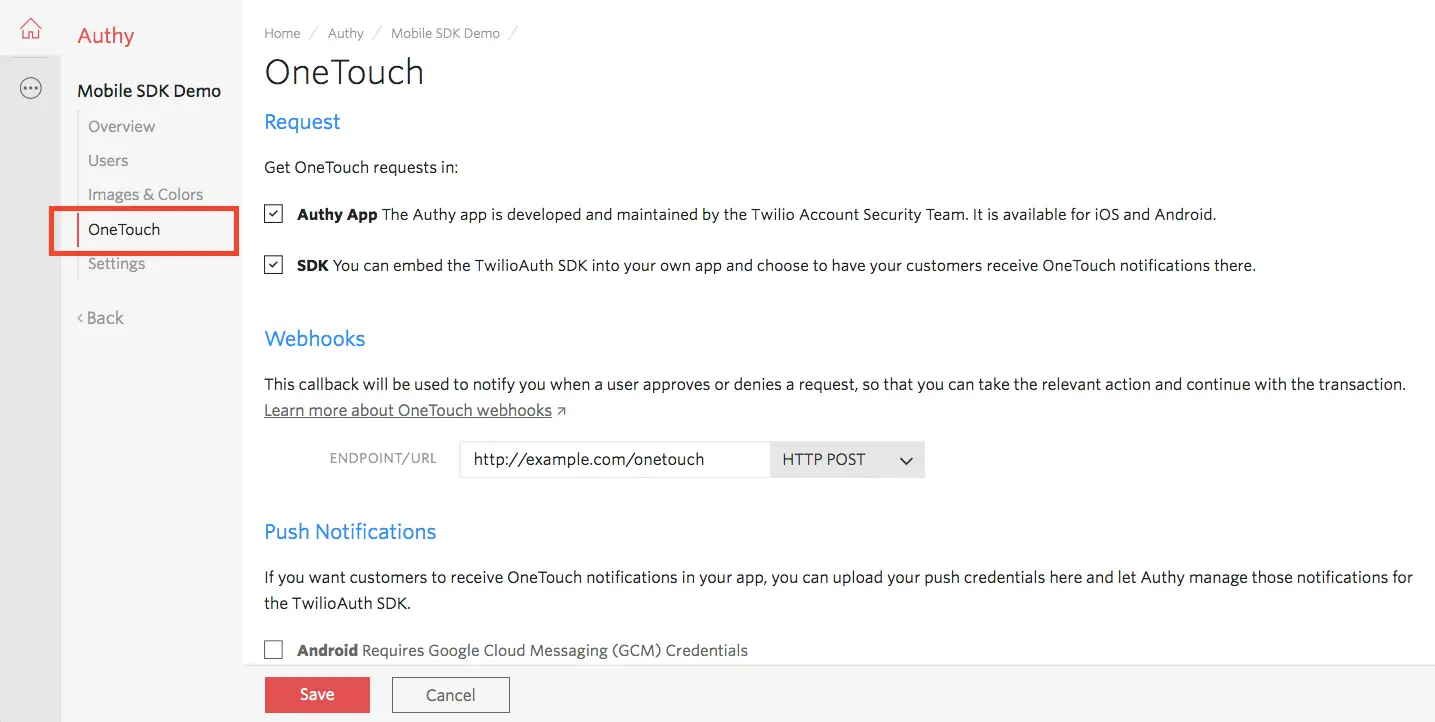
You can edit the OneTouch SDK Settings by following the steps described below. First, choose your Authy application and visit the OneTouch section.
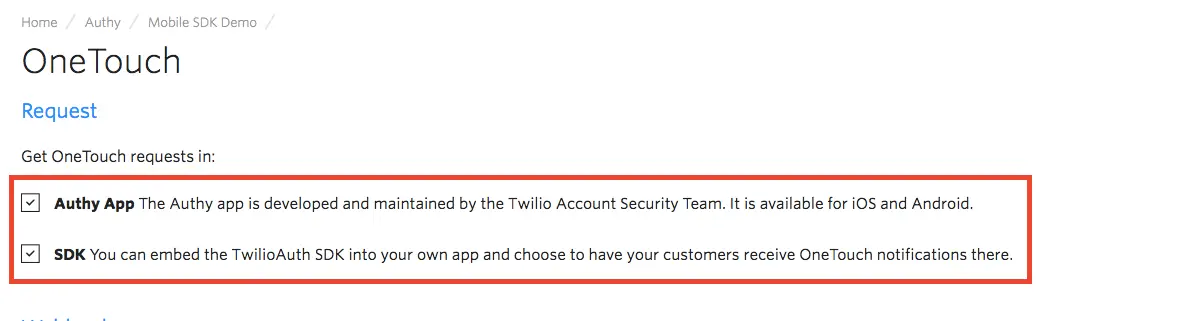
Choose whether the OneTouch requests will be sent to your users through the Authy App, your mobile application with the Twilio Auth SDK (Certificates required. See Push Notifications section below), or both.
Set up a callback that will be invoked every time your users approve or deny a OneTouch request, so that you can take relevant action and continue with the transaction.

Upload your Apple APNS certificate and Google GCM ID to delegate the push notification delivery to Twilio.
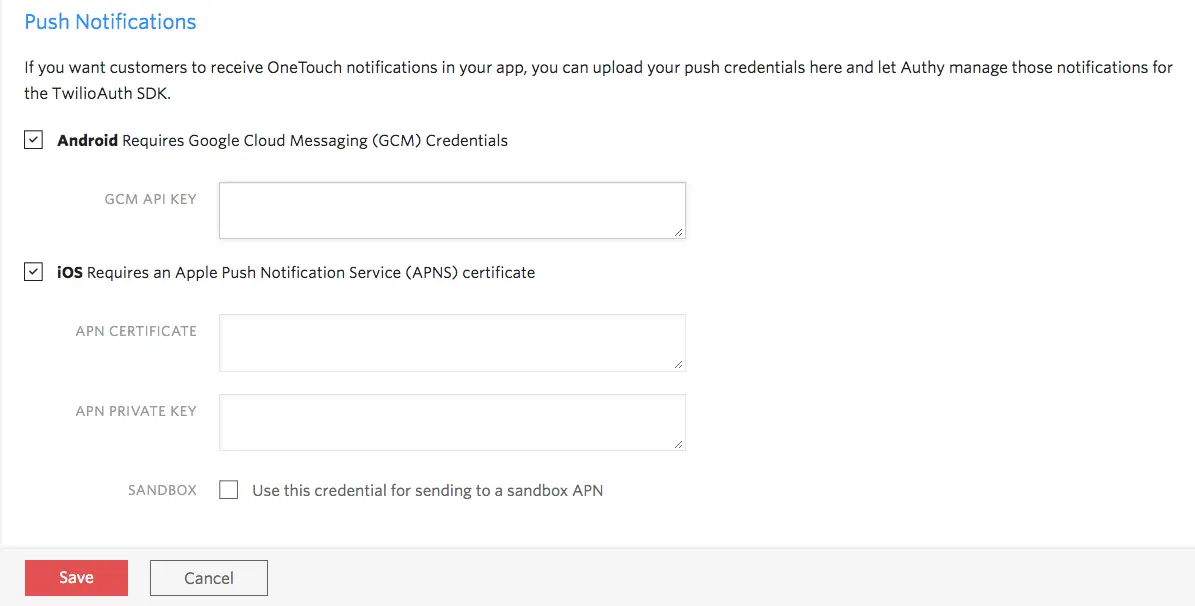
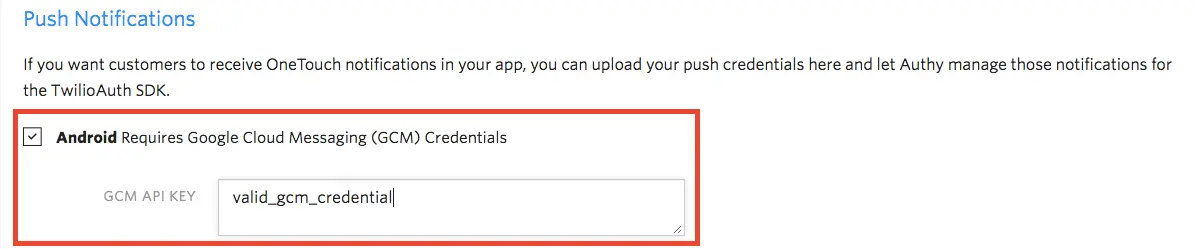
Upload your Google Cloud Messaging (GCM) Credentials:
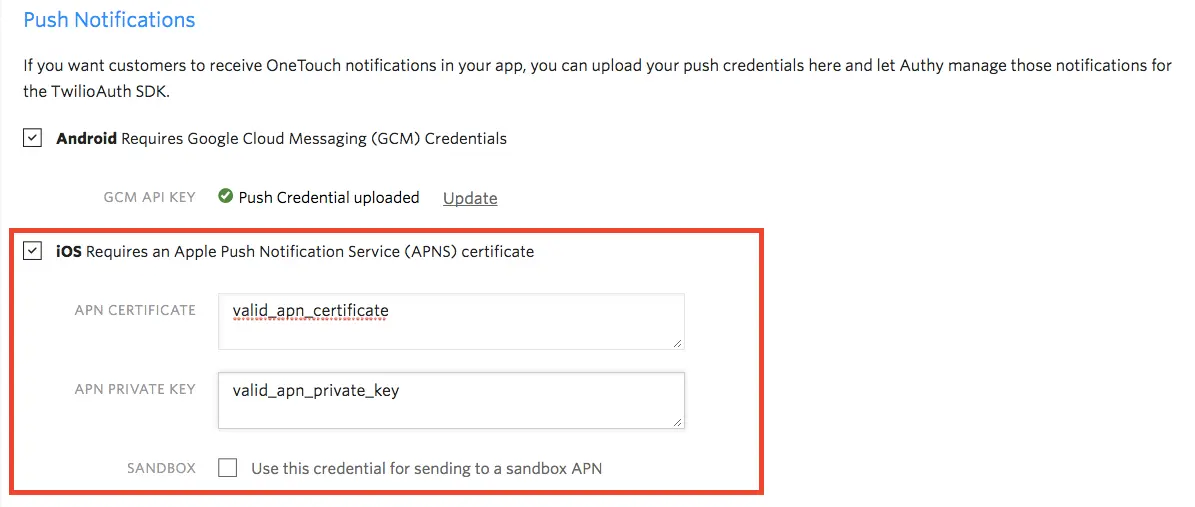
Upload the Apple Push Notification Service (APNS) certificate. Both the APN certificate and private key are required. Tick the sandbox option when you are uploading a Development APN certificate:
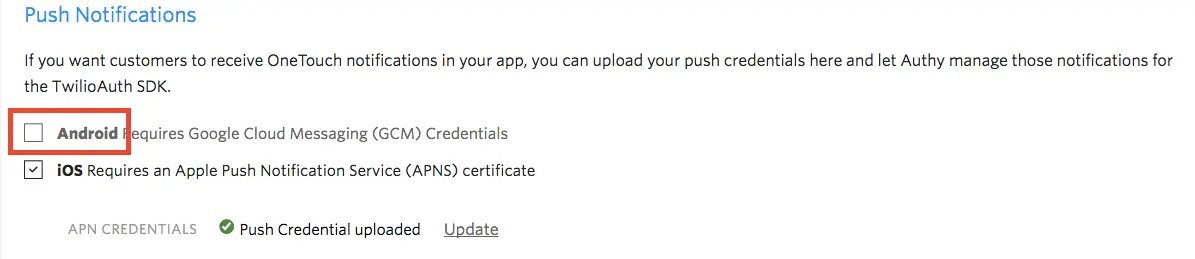
To disable the push notification on a specific platform, Android or iOS, untick the desired platform and save changes. For example, this is how it would look to disable Android: